Guide
Import an Access Review
Rencore Governance lets you transfer Access Reviews across various environments.
To import an Access Review into Rencore Governance, you will need to:
- Click on “Access”.
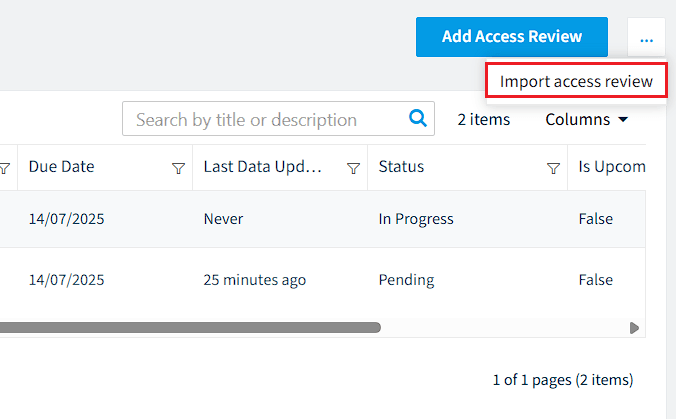
- Click on the “Access Review Ellipsis Menu” and click “Import access review”.
- Click “Browse”. Navigate to the .review (.json) file that you want to import.
- Click “Open”.
- Click “Import” and the Access Review will be imported.